Calendar

The schedule belongs with the conversation.

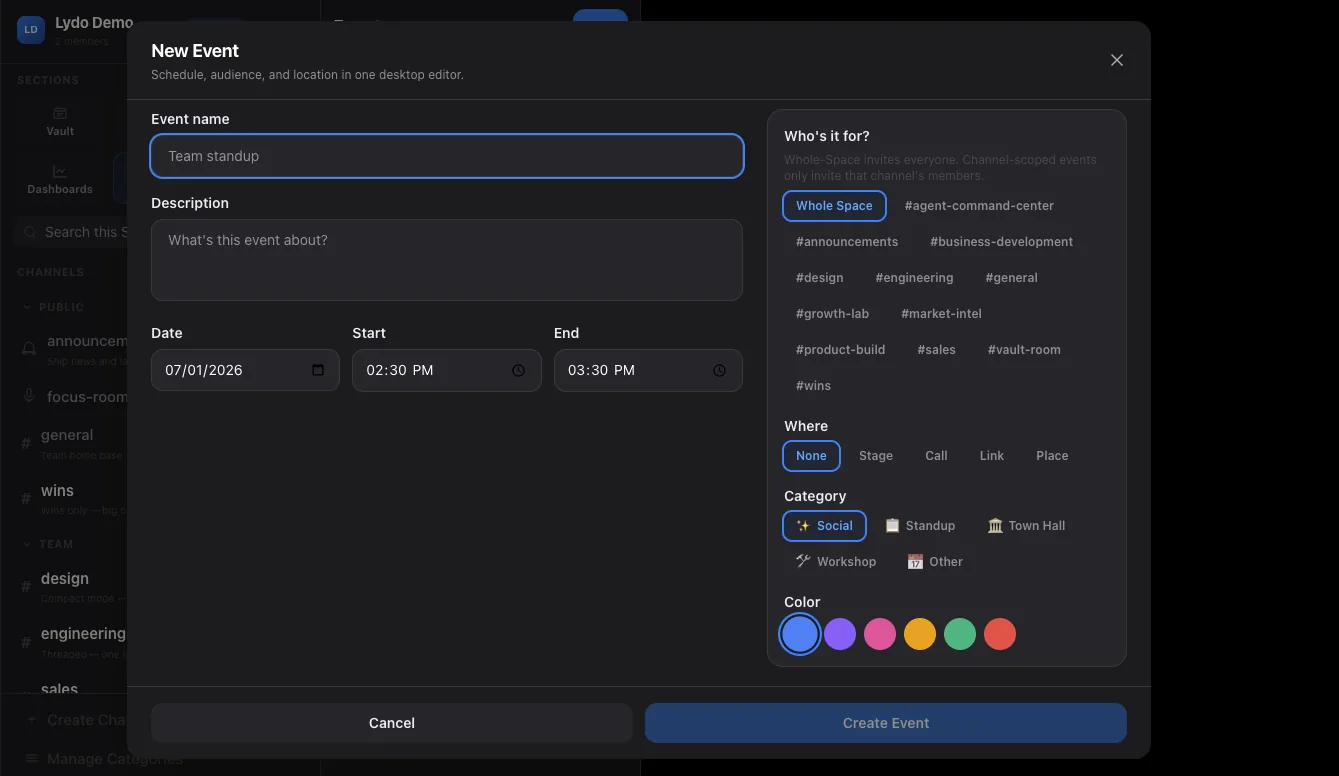
Create events from chat, send invites to the people already in the conversation, and sync Google or Outlook so your day is visible beside the work.

Google

calendar sync

Outlook

calendar sync

Chat

event invites from messages

Why it matters

Useful for teams that schedule from conversation: startups, agencies, field teams, communities, event crews, and operators.

01
Create

Events can start where the idea starts.

If a group chat decides on a meeting, Lydo can create the event from that flow and invite the people in the thread. Calendar stops being a separate admin chore.

  • Create and send events from chat
  • Create events from the calendar page
  • Invite the DM or group participants
02
Sync

Google and Outlook can sit beside Lydo events.

External calendar sync keeps a user from checking three places before committing to a time. Lydo shows synced events alongside Space events.

  • Google Calendar sync
  • Outlook Calendar sync
  • Overlapping events shown with clearer lanes
03
Work context

Events stay attached to the work.

Meetings are not just blocks on a grid. They connect to chats, notes, boards, reminders, and AI summaries so the team can prepare and follow up.

  • Meeting prep from Space context
  • Event cards in chat
  • Follow-up through notes and boards
FAQ

Questions buyers ask.

Does Lydo sync past calendar events?

Calendar sync focuses on useful current and future context so the Space stays fast and relevant.

Can I dismiss calendar sync prompts?

Yes. The calendar page supports dismissible sync prompts so teams that do not want external sync are not nagged every visit.